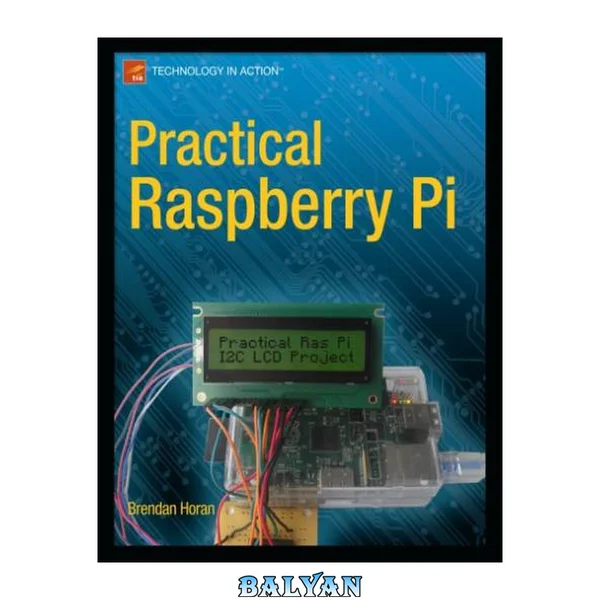
Practical Raspberry Pi takes you quickly through the hardware and software basics of the Raspberry Pi. Author Brendan Horan then gets you started on a series of fun and practical projects, including a simple temperature sensor, a media center, a real-time clock, and even a security monitoring device, all of which require minimal programming experience. Along with these projects, you'll learn all about the Raspberry Pi hardware, including how it can be so powerful and still so small and inexpensive, why it's so suitable as a video player, and how you can customize it for different tasks, including running different operating systems on it, including Android and RISC OS. The Raspberry Pi is an inexpensive but relatively powerful little computer. It was designed to get kids interested in computing and programming, but it's also a great platform for hardware hackery. The projects in this book will get you deep into the hardware to show you what the Raspberry Pi can really do. What you’ll learn An overview of Raspberry Pi hardware How to get your Pi up and running with Linux How to use your Pi for sensing temperature and driving a simple character LCD How to create a media player with your Raspberry Pi How to use your Pi as a serial console server How to set up your Pi to be a security monitoring device Other operating systems for your Pi, including Gentoo, Android, and RISC OS Who this book is for Electronics enthusiasts who want to try out the Raspberry Pi, Linux fans who want to create useful projects with the Pi, or anyone interested in learning more about computing, electronics, and networking with this inexpensive and fun little computer. Table of ContentsIntroduction Power and power sources Electronics overview Tools you'll need Chapter 1: Raspberry Pi Hardware Inputs and Outputs Overview of the ARM11 CPU Overview of the Broadcom VideoCore IV GPU Headers and pin out schematics Notes on unusable headers Chapter 2: Software Overview and Installing Linux Why hard-float vs. soft-float is important Installing Fedora Optimizing Fedora to run from the SD Chapter 3: Using GPIO: A Simple Temperature Sensor Overview and warnings about Pi's GPIO Connecting the sensor Writing the code to read the temperature Chapter 4: Driving a Simple Character LCD Using an LCD controller and GPIO Writing to and controlling the LCD Chapter 5: Security Monitoring Device Chapter 6: Cross-compiling Applications for the Pi Why cross-compiling is a good idea Setting up a cross-compile environment on your desktop GCC tips and tricks Chapter 7: Media Center with Raspberry Pi Installing XBMC Setting up HDMI audio and video Chapter 8: Building a Real-time Clock Add an independent RTC to your Raspberry Pi Chapter 9: Embedded, IP-enabled Serial Console Server Accessing the Pi's UART and building a line-level converter Linux serial port server set-up Chapter 10: Appliance Automation Mains voltage warnings Building the hardware Writing the code to turn the appliance on and off Chapter 11: Other Operating Systems for the Pi Android RISC OS Plan9 Gentoo Practical Raspberry Pi......Page 250 Contents at a Glance......Page 3 Contents......Page 253 About the Author......Page 259 About the Technical Reviewers......Page 260 Acknowledgments......Page 261 Chapter 1: Hardware Overview......Page 18 USB Port......Page 19 CSI Header......Page 20 DSI Header......Page 21 What Is SDIO?......Page 22 GPIO Headers......Page 23 Analog Video Output......Page 25 Pi Brains......Page 26 Processor Pipeline......Page 28 Caches......Page 29 Power States......Page 30 Pi Eyes......Page 31 Pi on Your Face......Page 32 Summary......Page 33 Chapter 2: Installing Fedora......Page 34 Using the GUI Installer......Page 35 Using the Command Line......Page 36 Installing the Image on Windows......Page 37 Oh No, Goes Crash!......Page 38 Configure and Look Around......Page 39 Updating the Firmware and Operating System......Page 43 Optimizing the SD Card......Page 45 Optimizing CPU Cycles......Page 47 I/O Tuning......Page 48 Understanding the CFQ Scheduler......Page 49 Understanding the Noop Scheduler......Page 50 Changing the Scheduler......Page 51 Summary......Page 52 Chapter 3: A Simple Temperature Sensor......Page 53 Breadboards and GPIO Pins......Page 54 Introducing the DHT11......Page 56 Introducing the DS18B20......Page 57 The Amazing 1-Wire Bus......Page 58 Building the Sensors......Page 60 Using the Little Black DS1820B......Page 61 Using the Big Blue DHT11......Page 67 Reading the DHT11 in Linux......Page 70 Scripting the Sensors......Page 74 Summary......Page 76 Chapter 4: Driving a Simple Character LCD......Page 77 Pulling Apart the HD44780 and the Clones......Page 78 LCD Prep Work......Page 81 The I2C Bus......Page 84 Pull-Up Resisters and Open Drains......Page 85 The Bus Itself......Page 86 Putting It All Together......Page 87 Finding Your I2C Device......Page 92 Software and LCD Clients......Page 94 Server Configuration......Page 95 Testing the Server......Page 96 Running a Client......Page 97 Displaying Text......Page 98 Summary......Page 101 Chapter 5: Security Monitoring Device......Page 102 Introduction to the PIR......Page 103 Introducing the Pressure Mat......Page 104 Assembling the Devices......Page 105 The Pressure Mat......Page 106 Using the GPIO Pins......Page 108 A Script for Your Mat Status......Page 110 Connecting the PIR......Page 111 Welcome WEBrick......Page 114 The Security Application Code......Page 115 Running the Security Application......Page 117 Summary......Page 118 Introducing Cross Compiling......Page 119 Crosstool-NG......Page 121 Paths and Misc Options......Page 125 Tool-Chain Options......Page 126 Binary Utilities......Page 127 C Library......Page 128 Debug Facilities......Page 129 Building the Tool Chain......Page 130 Your First Cross Compile......Page 131 Cross Compiling with Dependencies......Page 133 Optimization......Page 137 Summary......Page 138 Chapter 7: Mini Media Center......Page 139 Using the LTO......Page 140 Installing OpenELEC......Page 141 Decode Licenses......Page 144 The First Boot......Page 147 Setting the Date and Time......Page 149 Screen Resolution and Display Settings......Page 151 Browser Access......Page 152 Remote Control Phone......Page 153 Summary......Page 157 Chapter 8: Adding an RTC......Page 158 The Beginning of the RTC in PCs......Page 159 The Crystal......Page 160 Parts List and Assembly......Page 161 Soldering the Adapter Board......Page 162 Making the Battery PCB......Page 164 Building the Circuit......Page 166 The Soft Side......Page 170 Summary......Page 175 What Exactly Is a Serial Console Anyway?......Page 176 Serial Port, What Serial Port?......Page 177 Serially a Bit of a Letdown......Page 178 Finding the Pi’s Serial Port......Page 179 Needed Hardware......Page 180 Building the Circuit......Page 181 The Power On......Page 184 Ser2net......Page 187 Summary......Page 190 Chapter 10: Controlling a Mains Device......Page 191 Isolation Devices......Page 192 MOSFET......Page 193 Relays......Page 194 The AC Mains Remote Control......Page 195 Dissecting the Remote Control......Page 197 Adding the Relays......Page 199 Using the GPIO Pins as Output......Page 203 Coding a Simulated Button Press......Page 204 Back to the WEBrick......Page 205 Summary......Page 211 Chapter 11: Other Operating Systems......Page 212 A History of Android......Page 213 Installing Android......Page 214 Using Android......Page 215 RISC OS Considerations......Page 216 Installing RISC OS......Page 218 Using RISC OS......Page 223 Plan 9 Considerations......Page 226 Installing Plan 9......Page 228 Using Plan 9......Page 231 Gentoo Considerations......Page 233 Installing Gentoo......Page 235 Summary......Page 242 Index......Page 243 Cover; Title Page; Copyright Page; Dedication Page; Contents at a Glance; Table of Contents; About the Author; About the Technical Reviewers; Acknowledgments; Introduction; Basic Tools; Measure Twice, Cut Once; Basic Schematics and Electronics; Schematics; Electronics Concepts; Ohm's Law; Resistors; Capacitors; Diodes; Series and Parallel Circuits; Pi Power and Clean Input; The Dangers of ESD; SI Units and Measurements; What to Expect; CHAPTER 1 Hardware Overview; Pi In, Pi Out; USB Port; LAN Port; CSI Header; HDMI Port; Power to the Pi!; DSI Header; SD Card Slot; What Is SD?; What Is MMC? The Security Application CodeRunning the Security Application; Summary; CHAPTER 6 Cross Compile Environment; Introducing Cross Compiling; The Host; Crosstool-NG; Configuring crosstool-NG; Paths and Misc Options; Target Options; Tool-Chain Options; Operating System; Binary Utilities; C Compiler; C Library; Debug Facilities; Building the Tool Chain; Preconfigured Tool Chains; Your First Cross Compile; Cross Compiling with Dependencies; Optimization; Summary; CHAPTER 7 Mini Media Center; Why OpenELEC?; Using the -Ofast Optimization; Using the LTO; Using Symbols as Needed; Two Final Advantages Understanding the CFQ SchedulerUnderstanding the Noop Scheduler; Changing the Scheduler; Lighter Applications and Tools; Summary; CHAPTER 3 A Simple Temperature Sensor; Breadboards and GPIO Pins; Sensors; Introducing the DHT11; Introducing the DS18B20; The Amazing 1-Wire Bus; Building the Sensors; Building the Sensors; Using the Little Black DS1820B; Reading the DS1820B on Linux; Using the Big Blue DHT11; Reading the DHT11 in Linux; Scripting the Sensors; Summary; CHAPTER 4 Driving a Simple Character LCD; Pulling Apart the HD44780 and the Clones; Preparing the Hardware; LCD Prep Work Shift RegistersThe I2C Bus; Physical Layout; Raspberry Pi Tolerance and High-Level Voltage Input; Pull-Up Resisters and Open Drains; Addressing I2C Devices; The Bus Itself; Putting It All Together; Finding Your I2C Device; Software and LCD Clients; Server Configuration; Testing the Server; Running a Client; Displaying Text; Summary; CHAPTER 5 Security Monitoring Device; Introduction to the PIR; Introducing the Pressure Mat; Assembling the Devices; The Pressure Mat; Using the GPIO Pins; A Script for Your Mat Status; Connecting the PIR; Bring Forth the WEBrick; Welcome WEBrick What Is SDIO?GPIO Headers; Analog Video Output; JTAG Ports; Audio Output; LEDs; Pi Brains; Processor Pipeline; Caches; Memory Chips; Power States; Performance per Watt; Pi Eyes; What Happens at Power On?; Pi on Your Face; Summary; CHAPTER 2 Installing Fedora; Dissecting the Image; Using the GUI Installer; Using the Command Line; Installing the Image on Windows; Booting Your Pi; Oh No, Goes Crash!; Configure and Look Around; Updating the Firmware and Operating System; Cutting Out the Fat; Optimizing the SD Card; Thinking About Swapping; Optimizing CPU Cycles; I/O Tuning