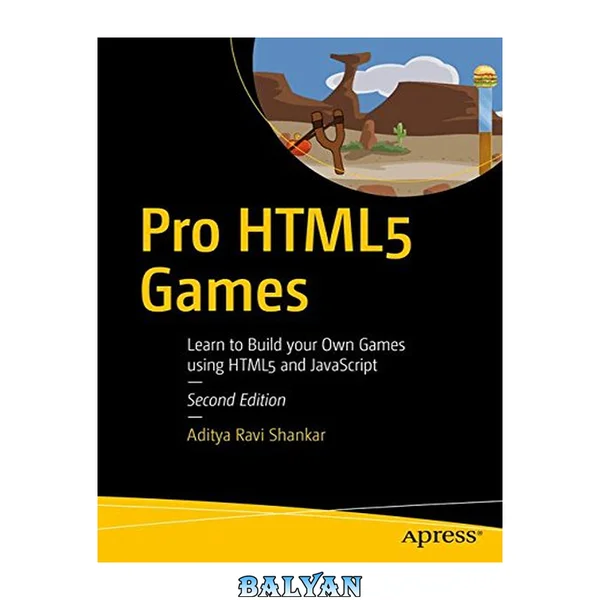
Gain a deep, practical knowledge of the basic tools used for webpages: hypertext markup language (HTML5), cascading style sheets (CSS), and JavaScript. This updated version includes new and improved games and exercises, and will serve total beginners as well as people with some programming language experience, but not familiar with the combination of HTML, CSS, and JavaScript. You'll begin at an introductory level with the focus on technical features as well as programming techniques. Each chapter features a familiar game such as Rock-Paper-Scissors, Craps, Memory, and Blackjack or generic examples such as working with Mazes. Other projects include constructing and saving a maze; a basic word guessing game; ballistic games (Cannonball and Slingshot); a quiz requiring items to be put in order; and an animation demonstration featuring a ball, photo or video clip bouncing within a rectangle. The Appendix contains examples of advanced techniques such as Scalar Vector Graphics programs displaying the HTML5 Logo and a cartoon figure, each of which can be changed dynamically, and mathematical techniques for calculating if a move crosses a line and re-adjusting an arrangement of circles and arrows. The exposition on each example in the chapters and the Appendix includes screen shots and tables revealing the structure of the program and statement by statement explanation of code. The book also contains suggestions for using the concepts and techniques to build your own programs. If you follow through with your own ideas, you will develop solid programming skills for building websites and for learning other programming languages, including the next version of HTML and current and future JavaScript frameworks, libraries and tools. What You'll Learn Understand HTML 5 concepts with the help of easy-to-grasp, appealing examples Use HTML5 to explore new avenues for web application and game development Review important new elements of HTML 5 Build, test, and upload simple games to a web site Who This Book Is For Both absolute beginners and users with some knowledge of HTML who want to learn the new HTML5 features Table of Contents About the Author About the Technical Reviewer Acknowledgments Introduction Chapter 1: The Basics Keywords Introduction Critical Requirements HTML5, CSS, and JavaScript Features Basic HTML Structure and Tags Using Cascading Style Sheets JavaScript Programming Using a Text Editor Building the Applications Testing and Uploading the Application Summary Chapter 2: Dice Game Introduction Critical Requirements HTML5, CSS, and JavaScript Features Pseudorandom Processing and Mathematical Expressions Variables and Assignment Statements Programmer-Defined Functions Conditional Statements: if and switch Drawing on the Canvas Displaying Text Output Using a Form Building the Application and Making It Your Own Throwing a Single Die Throwing Two Dice The Complete Game of Craps Making the Application Your Own Testing and Uploading the Application Summary Chapter 3: Bouncing Ball Introduction Critical Requirements HTML5, CSS, and JavaScript Features Drawing a Ball or an Image or Images Gradients with a Side Trip to Explain Arrays Setting Up a Timing Event Calculating a New Position and Collision Detection Starting, Positioning and Restarting the video with use of an anonymous function Validation Stopping and Resuming Animation Triggered by Buttons HTML Page Reload Preloading Images Building the Application and Making It Your Own Testing and Uploading the Application Summary Chapter 4: Cannonball and Slingshot Introduction Critical Requirements HTML5, CSS, and JavaScript Features Arrays and Programmer-Defined Objects Rotations and Translations for Drawing Drawing Line Segments Mouse Events for Pulling on the Slingshot Changing the List of Items Displayed Using Array Splice Distance Between Points Building the Application and Making It Your Own Cannonball: With Cannon, Angle, and Speed Slingshot: Using a Mouse to Set Parameters of Flight Testing and Uploading the Application Summary Chapter 5: The Memory (aka Concentration) Game Introduction Critical Requirements HTML5, CSS, JavaScript Features Representing Cards Using Date for Timing Providing a Pause Drawing Text Drawing Polygons Shuffling Cards Implementing Clicking on a Card Preventing Certain Types of Cheating Building the Application and Making It Your Own Testing and Uploading the Application Summary Chapter 6: Quiz Introduction Critical Requirements for a Quiz Game HTML5, CSS, and JavaScript Features Storing and Retrieving Information in Arrays Creating HTML During Program Execution Using CSS in the Style Element Responding to Player Moves Presenting Audio and Video Checking the Player’s Answer Building the Application and Making It Your Own Testing and Uploading the Application Summary Chapter 7: Mazes Keywords Introduction Critical Requirements HTML5, CSS, and JavaScript Features Representation of Walls and the Token Mouse Events to Build and Position a Wall Detecting the Arrow Keys Collision Detection: Token and Any Wall Using Local Storage Encoding Data for Local Storage Radio Buttons Building the Application and Making It Your Own Creating the Travel Maze Application Testing and Uploading Application Summary Chapter 8: Rock, Paper, Scissors Introduction Critical Requirements HTML5, CSS, and JavaScript Features Providing Graphical Buttons for the Player Generating the Computer Move Displaying Results Using Animation Audio and DOM Processing Starting Off Building the Application and Making It Your Own Testing and Uploading the Application Summary Chapter 9: Guess a Word Introduction Critical Requirements HTML5, CSS, and JavaScript Features Storing a Word List as an Array Defined in an External Script File Generating and Positioning HTML Markup, Then Changing the Markup to Buttons, and Then Disabling the Buttons Creating the Feedback About Remaining Wrong Letters Maintaining the Game State and Determining a Win or Loss Checking a Guess and Revealing Letters in the Secret Word by Setting textContent Building the Application and Making It Your Own Testing and Uploading the Application Summary Chapter 10: Blackjack Introduction Critical Requirements HTML5, CSS, and JavaScript Features Source for Images for Card Faces and Setting Up the Image Objects Creating the Programmer-Defined Object for the Cards Starting a Game Dealing the Cards Shuffling the Deck Capturing Key Presses Using Header and Footer Element Types Building the Application and Making It Your Own Testing and Uploading the Application Summary Appendix: More Techniques for Drawing Circles and Arrows Overview Details of Implementation What You Learned Crossing a Line (Jumping a Fence) Overview Mathematics Refresher Preparing Data Feedback to User/Player Details of Implementation What You Learned Using Scalar Vector Graphics Using SVG to Draw the HTML5 Logo Overview Details of Implementation Using SVG to Draw and Modify a Cartoon Overview Details of Implementation What You Learned Index "Gain a deep, practical knowledge of the basic tools used for webpages: hypertext markup language (HTML5), cascading style sheets (CSS), and JavaScript. This updated version includes new and improved games and exercises, and will serve total beginners as well as people with some programming language experience, but not familiar with the combination of HTML, CSS, and JavaScript. You'll begin at an introductory level with the focus on technical features as well as programming techniques. Each chapter features a familiar game such as Rock-Paper-Scissors, Craps, Memory, and Blackjack or generic examples such as working with Mazes. Other projects include constructing and saving a maze; a basic word guessing game; ballistic games (Cannonball and Slingshot); a quiz requiring items to be put in order; and an animation demonstration featuring a ball, photo or video clip bouncing within a rectangle. The Appendix contains examples of advanced techniques such as Scalar Vector Graphics programs displaying the HTML5 Logo and a cartoon figure, each of which can be changed dynamically, and mathematical techniques for calculating if a move crosses a line and re-adjusting an arrangement of circles and arrows. The exposition on each example in the chapters and the Appendix includes screen shots and tables revealing the structure of the program and statement by statement explanation of code. The book also contains suggestions for using the concepts and techniques to build your own programs. If you follow through with your own ideas, you will develop solid programming skills for building websites and for learning other programming languages, including the next version of HTML and current and future JavaScript frameworks, libraries and tools." -- Amazon