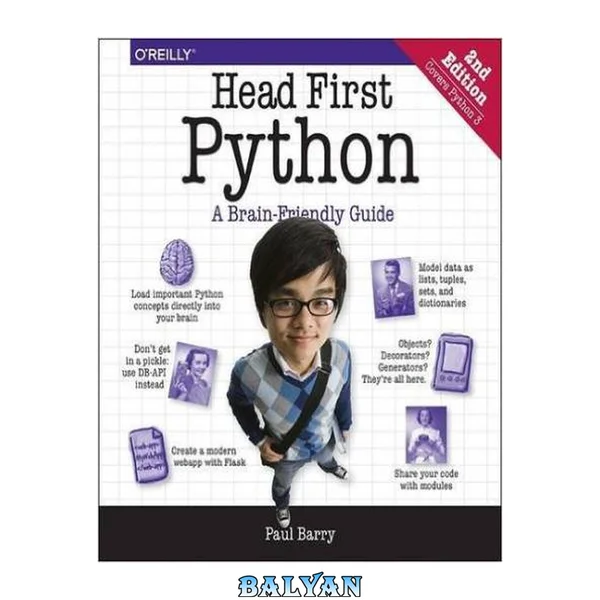
What will you learn from this book? Want to learn the Python language without slogging your way through how-to manuals? With Head First Python , you'll quickly grasp Python's fundamentals by working with built-in data structures and functions. You'll build your very own web app, which—once it's ready for prime time—runs in the cloud. You'll learn how to wrangle data with Python, scrape data from the web, feed data to pandas, and interact with databases. This third edition is a complete learning experience that will help you become a bona fide Python programmer in no time. What's so special about this book? If you've read a Head First book, you know what to expect: a visually rich format designed for the way your brain works. If you haven't, you're in for a treat. With this book, you'll learn Python through a multisensory experience that engages your mind—rather than a text-heavy approach that puts you to sleep. Cover Copyright Table of Contents Other books in O’Reilly’s Head First series Author of Head First Python Table of Contents (the real thing) How to use this Book: Intro Who is this book for? Who should probably back away from this book? We know what you’re thinking We know what your brain is thinking Metacognition: thinking about thinking Here’s what WE did: Read Me Let’s install the latest Python Installing on Windows Installing on macOS Installing on Linux Python on its own is not enough Install the latest Jupyter Notebook backend Install the latest release of VS Code Configure VS Code to your taste Add two required extensions to VS Code VS Code’s Python support is state-of-the-art The Technical Review Team Acknowledgments Chapter 1. Why Python?: Similar but Different Getting ready to run some code Preparing for your first Jupyter experience Let’s pop some code into your notebook editor Press Shift+Enter to run your code So... Python code really is easy to read... and run What if you want more than one card? Take a closer look at the card drawing code The Big 4: list, tuple, dictionary, and set Model your deck of cards with a set The print dir combo mambo Getting help with dir’s output Populate the set with cards This feels like a deck of cards now What exactly is “card”? Need to find something? Let’s pause and take stock Python ships with a rich standard library With Python you’ll only write the code you need Python’s package ecosystem is to die for Just when you thought you were done... Chapter 2. Diving in: Let’s Make a Splash How is the Coach working right now? The Coach needs a more capable stopwatch Cubicle Conversation The file and the spreadsheet are “related” Our first task: Extract the filename’s data Everything is an object in Python A string is an object with attributes Take a moment to appreciate what you’re looking at here Extract the swimmer’s data from the filename Don’t try to guess what a method does... Splitting (aka, breaking apart) a string There’s still some work to do Read error messages from the bottom up Be careful when combining method calls Cubicle Conversation Let’s try another string method All that remains is to create some variables Multiple assignment (aka unpacking) Task #1 is done! Task #2: Process the data in the file Chapter 3. Lists of Numbers: Processing List Data Task #2: Process the data in the file Grab a copy of the Coach’s data The open BIF works with files Cubicle Conversation Using with to open (and close) a file Variables are created dynamically, as needed The file’s data is what you really want We have the swimmer’s data from the file Let’s take stock of our progress so far Your new best friend, Python’s colon What needs to happen next feels familiar The previous chapter is paying dividends Converting a time string into a time value Convert the times to hundredths of seconds To hundredths of seconds with Python A quick review of Python’s for loop The gloves are off... for loops vs. while loops You’re cruising now and making great progress! Let’s keep a copy of the conversions Creating a new, empty list Displaying a list of your list’s methods It’s time to calculate the average Convert the average to a swim time string It’s time to bring everything together Task #2 (finally) gets over the line! Chapter 4. List of Files: Functions, Modules & Files Cubicle Conversation You already have most of the code you need How to create a function in Python Save your code as often as you wish Add the code you want to share to the function Simply copying code is not enough Be sure to copy all the code you need Update and save your code before continuing... Use modules to share code Bask in the glory of your returned data Functions return a tuple when required Let’s get a list of the Coach’s filenames It’s time for a bit of detective work... What can you do to lists? Is the issue with your data or your code? Cubicle Conversation Decisions, decisions, decisions Let’s look for the colon “in” the string Did you end up with 60 processed files? The Coach’s code is taking shape... Chapter 5. Formatted String Literals: Make Charts from Data Cubicle Conversation Create simple bar charts with HTML and SVG Let’s match up your HTML and SVG to the output you see on screen: Getting from a simple chart to a Coach chart Build the strings your HTML needs in code String concatenation doesn’t scale f-strings are a very popular Python feature Generating SVG is easy with f-strings! The data is all there, or is it? Make sure you return all the data you need You have numbers now, but are they usable? Scaling numeric values so they fit All that’s left is the end of your webpage Writing to files, like reading, is painless It’s time to display your handiwork All that’s left are two aesthetic tweaks... Cubicle Conversation It’s time for another custom function Let’s add another function to your module What’s with that hundredths value? Rounding is not what you want (in this case) One more minor formatting tweak Things are progressing well... Chapter 6. Getting Organized: Data Structure Choices Get to know the data you’ll be working with Let’s extract a list of swimmers’ names The list-set-list duplicate removing trick The Coach now has a list of names A small change makes a “big” difference Every tuple is unique Perform super fast lookups with dictionaries Dictionaries are key/value lookup stores Anatomy of building a dictionary Dictionaries are optimized for speedy lookup Display the entire dictionary The pprint module prett y-prints your data Your dictionary-of-lists is easily processed This is really stating to come together Chapter 7. Building a Webapp: Web Development Let’s build the Coach’s webapp with Flask Install Flask from PyPI Prepare your folder to host your webapp The Flask MVP You have options when working with your code How does your browser and your Flask-based webapp communicate? Building your webapp, bit by bit... Spoiler Alert! What’s the deal with that NameError? Cubicle Conversation Flask includes built-in session support Flask’s session technology is a dictionary Fixing your quick fix Adjusting your code with the “better fix” Use render_template to display web pages That list of swimmers needs to be a drop-down list Building Jinja2 templates saves you time Let’s get to know a bit about Jinja2’s markup extensions to HTML Extend base.html to create more pages Dynamically creating a drop-down list Selecting a swimmer You need to somehow process the form’s data Your form’s data is available as a dictionary You’re inching closer to a working system Functions support default parameter values Default parameter values are optional The final version of your code, 1 of 2 The final version of your code, 2 of 2 As a first webapp goes, this is looking good The Coach’s system is ready for prime time Chapter 8. Deployment: Run Your Code Anywhere There’s always more than one way to do something There’s still something that doesn’t feel right Jinja2 executes code between {{ and }} Cubicle Conversation The ten steps to cloud deployment A beginner account is all you need There’s nothing stopping you from starting... When in doubt, stick with the defaults The placeholder webapp doesn’t do much Deploying your code to PythonAnywhere Extract your code in the console Configure the Web tab to point to your code Edit your webapp’s WSGI file Your cloud-hosted webapp is ready! Chapter 9. Working with HTML: Web Scraping The Coach needs more data Cubicle Conversation Get to know your data before scraping We need a plan of action... A step-by-step guide to web scraping Let’s take the Coach’s advice and go with a three/two split It’s time for some HTML-parsing technology It’s time for some... em... eh... cold soup! Grab the raw HTML page from Wikipedia Get to know your scraped data You can copy a slice from any sequence It’s time for some HTML parsing power Searching your soup for tags of interest The gazpacho defaults can sometimes trip you up The returned soup is also searchable Which table contains the data you need? Four big tables and four sets of world records It’s time to extract the actual data Extract data from all the tables, 1 of 2 Extract data from all the tables, 2 of 2 That nested loop did the trick! Chapter 10. Working with Data: Data Manipulation Bending your data to your will... You now have the data you need... Apply what you already know... Is there too much data here? Filtering on the relay data You’re now ready to update your bar charts Cubicle Conversation Python ships with a built-in JSON library JSON is textual, but far from pretty “Importing” JSON data Getting to the webapp integration All that’s needed: an edit and a copy’n’paste... Adding the world records to your bar chart Is your latest version of the webapp ready? But... are you really done? Cubicle Conversation PythonAnywhere has you covered... You need to upload your utility code, too Deploy your latest webapp to PythonAnywhere Tell PythonAnywhere to run your latest code Test your utilities before cloud deployment Let’s run your task daily at 1:00am Chapter 11. Working with: elephants dataframes: Tabular Data The elephant in the room... or is it a panda? A dictionary of dictionaries with pandas? Start by conforming to convention A list of pandas dataframes Selecting columns from a dataframe Dataframe to dictionary, attempt #1 Removing unwanted data from a dataframe Negating your pandas conditonal expression Dataframe to dictionary, attempt #2 Dataframe to dictionary, attempt #3 It’s another dictionary of dictionaries Comparing gazpacho to pandas It was only the shortest of glimpses... Chapter 12. Databases: Getting Organized The Coach has been in touch... Cubicle Conversation It pays to plan ahead... Task #1: Decide on your database structure The napkin structure + data Installing the DBcm module from PyPI Do this to follow along... Getting started with DBcm and SQLite DBcm works alongside the “with” statement Use triple-quoted strings for your SQL Not all SQL returns results Create the events and times tables Your tables are ready (and Task #1 is done) Determining the list of swimmer’s files Task #2: Adding data to a database table Stay safe with Python’s SQL placeholders Let’s repeat this process for the events All that’s left is your times table... The times are in the swimmer’s files... A database update utility, 1 of 2 A database update utility, 2 of 2 Task #2 is (finally) done Chapter 13. List Comprehensions: Database Integrations Four queries to grab the data you need Let’s explore the queries in a new notebook Five lines of loop code become one Getting from five lines of code to one... A nondunder combo mambo One query down, three to go... Two queries down, two to go... The last, but not least (query)... The database utilities code, 1 of 2 The database utilities code, 2 of 2 Using a data module supports future refactoring activities It’s nearly time for the database integration Cubicle Conversation It’s time to integrate your database code! Updating your existing webapp’s code Review your template(s) for changes... So... what’s the deal with your template? Let’s display a list of events... All that’s left is to draw the bar chart... Reviewing the most-recent swimclub.py code Meet the SVG-generating Jinja2 template Code is read more than it’s written. The convert_utils module list zip... what?!? Your database integrations are complete! Chapter 14. Deployment Revisited: The Finishing Touches... Cubicle Conversation Migrating to MariaDB Configuring MariaDB for the Coach’s webapp Moving the Coach’s data to MariaDB Reusing your tables, 1 of 2 Apply three edits to schema.sql Reusing your tables, 2 of 2 Let’s check your tables are defined correctly Copying your existing data to MariaDB Make your queries compatible with MariaDB Your database utility code need edits, too Create a new database on PythonAnywhere Adjust your database credentials dictionary Edit data_utils.py to support multiple locations Copying everything to the cloud Preparing your code and data for upload Update your webapp with your latest code Just a few more steps... Populate your cloud database with data It’s time for a PythonAnywhere Test Drive Is something wrong with PythonAnywhere? Cubicle Conversation The Coach is a happy chappy! Appendix A. The Top Ten Things We Didn’t Cover 1. Classes It’s not that we’re against classes... But, what if you can’t do without a custom class? What does Python class code look like? Playing cards with a class 2. Exceptions 3. Testing 4. The walrus operator 5. Where’s the switch? What switch? 6. Advanced language features 7. Concurrency 8. Type Hints 9. Virtual Environments 10. Tools Programmer’s code editors (and IDEs) Code formatters Taking notebooks to the next level